
Refurbished MacBook Pro 14″
Looking for a refurbished MacBook Pro 14″? Liquid Retina XDR display, HDMI, SD card reader and MagSafe in a compact size, for anyone who needs lots of power on the go. At Microforce it is tested on more than 40 points, with a 24-month warranty. The battery is in great condition, or you simply choose a new battery. Available with the keyboard layout you want (AZERTY, QWERTY or QWERTZ). Pick it up in one of our stores or choose free delivery.
- 24 months warranty on every device
- Battery at least 80%or choose a new one
- Tested on more than 40 pointsby our technicians
- 14-day free returnsor exchange within 30 days
- Trade in your old deviceand pay less
- Ready within 1 hourin Ghent or Antwerp
Choose your generation
Each generation has its own page with all devices, specifications and a buying guide.



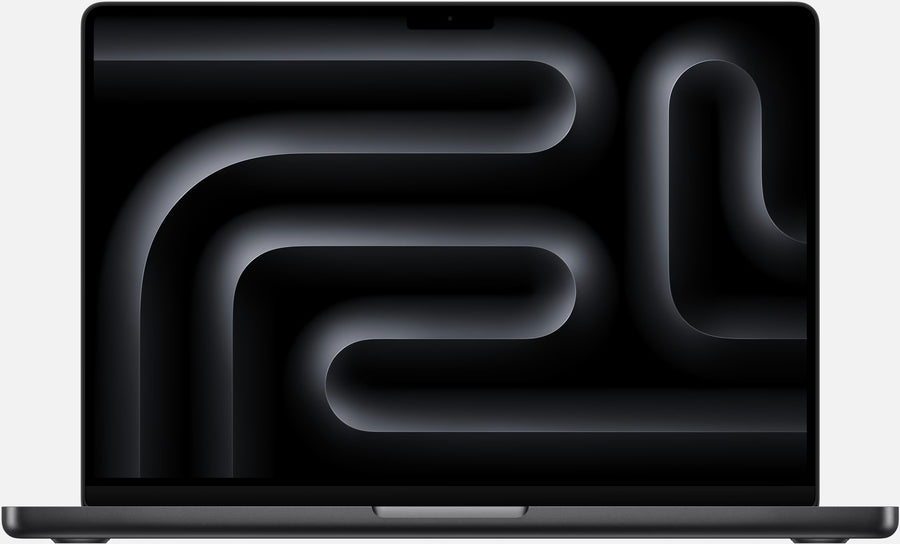
The 14-inch MacBook Pro is the powerhouse in a handy size: a Liquid Retina XDR display up to 120 Hz, a fan for heavy work and every port on board, with HDMI, an SD card slot, MagSafe and Thunderbolt. At Microforce you will find it refurbished from the M1 Pro to the M5, tested and with a 24-month warranty, from €1.729,00.
Each new generation is faster and lasts longer on a charge. Torn between two generations? The table below puts the main differences side by side.
Compare the generations
The main differences, according to Apple’s official specifications. Battery life applies to a new device. At Microforce every MacBook has at least 80% capacity or you choose a new battery.
| Generation | Chip | Memory | Brightness | Battery (new) | External displays | Weight | From |
|---|---|---|---|---|---|---|---|
| M5 (2025) | M5 with 10-core CPU and 10-core GPU | 16, 24 or 32 GB | 1000 nits (SDR), up to 1600 nits (HDR) | up to 24 hours of video, up to 16 hours of web browsing | 2 | 1.55 kg | out of stock |
| M4 (2024) | M4 (10-core CPU), M4 Pro (12- or 14-core CPU) or M4 Max (14- or 16-core CPU) | 16, 24 or 32 GB (M4), 24 or 48 GB (M4 Pro), 36 to 128 GB (M4 Max) | 1000 nits (SDR), up to 1600 nits (HDR) | M4: up to 24 h video, 16 h web · M4 Pro: up to 22 h video, 14 h web | 2 (M4 and M4 Pro), 4 (M4 Max) | 1.55 to 1.62 kg | €1.799,003 in stock |
| M3 (2023) | M3 (8-core CPU), M3 Pro (11- or 12-core CPU) or M3 Max (14- or 16-core CPU) | 8, 16 or 24 GB (M3), 18 or 36 GB (M3 Pro), 36 to 128 GB (M3 Max) | 600 nits (SDR), up to 1600 nits (HDR) | M3: up to 22 h video, 15 h web · M3 Pro/Max: up to 18 h video, 12 h web | 1, or 2 with the lid closed (M3) · 2 (M3 Pro) · 4 (M3 Max) | 1.55 to 1.62 kg | €1.949,001 in stock |
| M2 Pro/Max (2023) | M2 Pro (10- or 12-core CPU) or M2 Max (12-core CPU, up to 38-core GPU) | 16 or 32 GB (M2 Pro), 32, 64 or 96 GB (M2 Max) | 500 nits (SDR), up to 1600 nits (HDR) | up to 18 hours of video, up to 12 hours of web browsing | 2 (M2 Pro) or 4 (M2 Max) | 1.6 kg | €1.729,003 in stock |
| M1 Pro/Max (2021) | M1 Pro (8- or 10-core CPU) or M1 Max (10-core CPU, up to 32-core GPU) | 16 or 32 GB (M1 Pro), 32 or 64 GB (M1 Max) | 500 nits (SDR), up to 1600 nits (HDR) | up to 17 hours of video, up to 11 hours of web browsing | 2 (M1 Pro) or 4 (M1 Max) | 1.6 kg | out of stock |
Who it is for, and who not
- A good choice if you edit video, retouch photos or code and want a stunning display in a size that is still easy to carry.
- Choose a 16-inch MacBook Pro instead if you want a bigger screen and the longest battery life.
- Choose a MacBook Air instead if you mainly browse, email and do office work: lighter, silent and more affordable.
Frequently asked questions
Which 14-inch MacBook Pro generation should I choose?
For most people an M1 Pro or M2 Pro is more than enough and the most affordable. Choose an M3 or newer if you want the longest battery life or want to use the device as long as possible.
What is the difference between Pro and Max?
The Max chip has a much more powerful graphics chip and more memory, and drives more external displays. Choose it if you work with heavy video, 3D or large projects every day.
How many external displays can I connect?
Two with a Pro chip, more with a Max chip. With the standard M3 one, or two with the lid closed. The exact numbers per generation are in the table above.
Is it noisy?
No. It has a fan, but in normal use you will hardly ever hear it. Only during long heavy work does it become audible.
What about the battery?
Every MacBook at Microforce still has at least 80% of its original capacity. Want the full battery life? Add a new battery.


