
Refurbished MacBook
Looking for a refurbished MacBook Air or MacBook Pro? At Microforce you buy a MacBook tested on more than 40 points, with a 24-month warranty. The battery is in great condition, or you simply choose a new battery. Every refurbished MacBook is available with the keyboard layout you want (AZERTY, QWERTY or QWERTZ). Pick it up in one of our stores or choose free delivery.

- 24 months warranty on every device
- Battery at least 80%or choose a new one
- Tested on more than 40 pointsby our technicians
- 14-day free returnsor exchange within 30 days
- Trade in your old deviceand pay less
- Ready within 1 hourin Ghent or Antwerp
Which MacBook suits you?
Know what you want? Pick your size and generation right away. Not sure? Let Micro Mike help you or start from your budget.
All MacBooks by size
What matters to you?
No sizes with this combination. Choose fewer filters or click Show all.
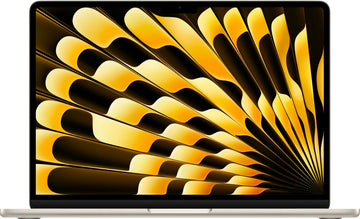
MacBook Air Light and silent, no fan
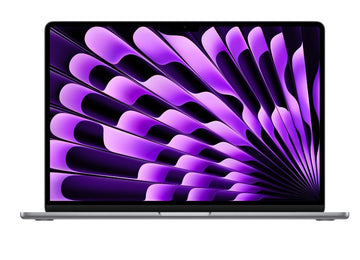
MacBook Pro More power, with a fan for long and heavy work
-
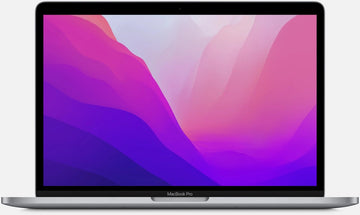 MacBook Pro 13"
Same size as the 13-inch Air, but with a fan: keeps its speed up for longer. With Touch Bar.from €829,00
4 in stockView all MacBook Pro 13"
-
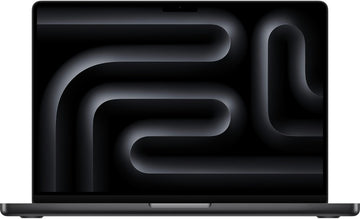 MacBook Pro 14"
Mini-LED XDR display (120 Hz), HDMI and SD card reader. For photo, video and programming.from €1.729,00
6 in stockView all MacBook Pro 14"
Generation:M5M4 1M3 2M2 Pro/Max 3M1 Pro/Max
-
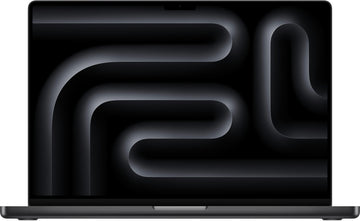 MacBook Pro 16"
The largest screen and the most power. For 3D, heavy video and big projects.from €1.249,00
8 in stockView all MacBook Pro 16"
Compare the sizes
| Air 13" | Air 15" | Pro 13" | Pro 14" | Pro 16" | |
|---|---|---|---|---|---|
| Display | 13.3–13.6", 60 Hz | 15.3", 60 Hz | 13.3", 60 Hz | 14.2" Mini-LED XDR, 120 Hz | 16.2" Mini-LED XDR, 120 Hz |
| Weight (approx.) | 1.24–1.29 kg | 1.51 kg | 1.4 kg | 1.55–1.6 kg | 2.1–2.2 kg |
| Fan | No (silent) | No (silent) | Yes | Yes | Yes |
| Ports | 2× Thunderbolt/USB-C (+ MagSafe from M2) | 2× Thunderbolt/USB-C + MagSafe | 2× Thunderbolt/USB-C | 3× Thunderbolt, HDMI, SD card, MagSafe | 3× Thunderbolt, HDMI, SD card, MagSafe |
| External displays | 1 (M1/M2) · 2 from M3* | 1 (M2) · 2 from M3* | 1 | 1 (M3) · 2 or more (M4 and Pro/Max chips) | 2 or more |
| Ideal for | Study, office, on the go | Large screen, multitasking | Office, somewhat heavier work | Photo, video, programming | 3D, heavy video, big projects |
| From | €699,00 | €1.559,00 | €829,00 | €1.729,00 | €1.249,00 |
* Air M3: 2 external displays with the lid closed. Air M4 and newer: 2 displays with the lid open.
Compare all models in detail
| Model | Display | Brightness (standard / HDR) | Refresh rate | Top key row | External displays | Weight |
|---|---|---|---|---|---|---|
| Air 13" M1 (2020) | Retina IPS 13.3", 2560×1600, 227 ppi | 400 nits | 60 Hz | 12 function keys | 1 | 1.29 kg |
| Air 13" M2 (2022) | Liquid Retina IPS 13.6", 2560×1664, 224 ppi | 500 nits | 60 Hz | 12 function keys | 1 | 1.24 kg |
| Air 15" M2 (2023) | Liquid Retina IPS 15.3", 2880×1864, 224 ppi | 500 nits | 60 Hz | 12 function keys | 1 | 1.51 kg |
| Air 13"/15" M3 (2024) | Liquid Retina IPS 13.6" / 15.3", 224 ppi | 500 nits | 60 Hz | 12 function keys | 1 · 2 (lid closed) | 1.24 / 1.51 kg |
| Air 13"/15" M4 (2025) | Liquid Retina IPS 13.6" / 15.3", 224 ppi | 500 nits | 60 Hz | 12 function keys | 2 (lid open) | 1.24 / 1.51 kg |
| Air 13"/15" M5 (2026) | Liquid Retina IPS 13.6" / 15.3", 224 ppi | 500 nits | 60 Hz | 12 function keys | 2 | 1.23 / 1.51 kg |
| Pro 13" M1 (2020) | Retina IPS 13.3", 2560×1600, 227 ppi | 500 nits | 60 Hz | Touch Bar | 1 | 1.4 kg |
| Pro 13" M2 (2022) | Retina IPS 13.3", 2560×1600, 227 ppi | 500 nits | 60 Hz | Touch Bar | 1 | 1.4 kg |
| Pro 14"/16" M1 Pro/Max (2021) | XDR mini-LED 14.2" 3024×1964 / 16.2" 3456×2234, 254 ppi | 500 / 1,000 sustained, 1,600 peak | up to 120 Hz | 12 function keys | Pro 2 · Max 4 | 1.6 / 2.1–2.2 kg |
| Pro 14"/16" M2 Pro/Max (2023) | XDR mini-LED, 254 ppi | 500 / 1,000 sustained, 1,600 peak | up to 120 Hz | 12 function keys | Pro 2 · Max 4 | 1.60–1.63 / 2.15–2.16 kg |
| Pro 14"/16" M3 · M3 Pro/Max (2023) | XDR mini-LED, 254 ppi | 600 / 1,000 sustained, 1,600 peak | up to 120 Hz | 12 function keys | M3 1 (2 lid closed) · Pro 2 · Max 4 | 1.55–1.62 / 2.14–2.16 kg |
| Pro 14"/16" M4 · M4 Pro/Max (2024) | XDR mini-LED, 254 ppi, nano-texture option | up to 1,000 outdoors / 1,000 sustained, 1,600 peak | up to 120 Hz | 12 function keys | M4 2 · Pro 2 · Max 3 or 4 (depending on CPU) | 1.55–1.62 / 2.14–2.15 kg |
| Pro 14" M5 (2025) | XDR mini-LED 14.2", 3024×1964, 254 ppi, nano-texture option | up to 1,000 outdoors / 1,000 sustained, 1,600 peak | up to 120 Hz | 12 function keys | 2 | 1.55 kg |
| Pro 14"/16" M5 Pro/Max (2026) | XDR mini-LED, 254 ppi | up to 1,000 outdoors / 1,000 sustained, 1,600 peak | up to 120 Hz | 12 function keys | Pro 3 · Max 4 | 1.60–1.62 / 2.14–2.15 kg |
Source: Apple’s official technical specifications. Weight varies slightly by configuration.
What is the difference between M1, M2, M3, M4 and M5?
| Chip | Since | What it brings |
|---|---|---|
| M1 | 2020 | Apple’s first chip in the Mac: fast, cool and long battery life. Still great for office work and study. |
| M2 | 2022 | Faster, and for the Air a new design with a larger screen, MagSafe and a 1080p camera. |
| M3 | 2023–2024 | Faster graphics (ray tracing). Air M3: two external displays with the lid closed. |
| M4 | 2024–2025 | Clearly faster for AI and video, at least 16 GB memory, two external displays on the Air. |
| M5 | 2025–2026 | The newest generation: even faster for graphics and AI. |
"Pro" and "Max" (e.g. M2 Pro) are more powerful versions of the same generation, with more cores, more memory and more external displays.
How much memory and storage?
Memory (RAM)
- 8 GB: browsing, mail, office, streaming. Enough for light use.
- 16 GB: our advice for most people. Many tabs and apps at once, photo editing, and more future-proof (Apple Intelligence).
- 24 GB or more: video, programming, virtual machines, 3D.
Storage (SSD)
- 256 GB: if you keep most of your files in the cloud.
- 512 GB: the right choice for most: photos, apps and documents stored locally.
- 1 TB or more: lots of photos or video, big projects.
Memory and storage are built into the chip and cannot be upgraded later. When in doubt, go one size up.
Summary
At Microforce you buy a refurbished MacBook Air or MacBook Pro with Apple silicon (M1 to M5), tested and with a 24-month warranty, from €699,00.
The Air is light and silent for study, office and home. The Pro has a brighter mini-LED display, a fan and more ports for heavier work.
At a glance
- Two families: MacBook Air (13 and 15 inch) and MacBook Pro (13, 14 and 16 inch).
- Every Apple chip from M1 onwards is fast enough for daily work. From M3 an Air drives two external displays.
- The 14- and 16-inch Pro have a Liquid Retina XDR display with 120 Hz ProMotion. The Air runs at 60 Hz.
- Weight from 1.23 kg (13-inch Air M5) to 2.2 kg (16-inch Pro M1 Max).
- 24-month warranty, condition listed per device, advice in our stores in Gentbrugge, Antwerp and Oudenaarde.
Display
The Air has a 500-nit Liquid Retina IPS display (the M1 a 400-nit Retina display): sharp and bright enough for everything except harsh sunlight.
The 14- and 16-inch Pro have a mini-LED Liquid Retina XDR display: 1,000 nits full-screen and 1,600 nits peak for HDR video, plus ProMotion up to 120 Hz for noticeably smoother scrolling and drawing.
For standard content the Pro reaches 500 nits (M1 Pro/Max and M2 Pro/Max), 600 nits (M3 range) or up to 1,000 nits outdoors (M4 and M5). All models show the P3 colour range and have True Tone.
Keyboard and trackpad
Every MacBook with Apple silicon has the backlit scissor-switch Magic Keyboard with Touch ID to unlock and pay.
The Air and the 14/16-inch Pro have a row of 12 full-height function keys. The 13-inch Pro (M1 and M2) has a Touch Bar instead, a touch strip above the keyboard.
The Force Touch trackpad is pressure-sensitive (Force Click) and noticeably larger on the 14- and 16-inch Pro.
Performance and chip
The M chip decides how smoothly everything runs. M1 and M2 are more than enough for browsing, Office and light photo editing.
M3 to M5 are faster and more efficient. On an Air they also drive two external displays.
Choose a Pro or Max chip for video, 3D or programming large projects. Take at least 16 GB of memory if you want to use the device for 5 years or more.
Battery
Apple promises 15 to 24 hours, depending on model and use.
At Microforce the battery condition is listed for every device, and for refurbished MacBook Air and Pro you can choose a new battery.
Connectivity
The Air has 2 Thunderbolt/USB-C ports, MagSafe 3 (from M2) and a headphone jack. The 14- and 16-inch Pro have 3 Thunderbolt ports, HDMI, an SD card reader and MagSafe 3.
External displays: Air M1/M2 one, Air M3 two with the lid closed, Air M4/M5 two with the lid open. Pro chips two (M5 Pro three), Max chips up to four.
Who it is for, and who not
- An Air is ideal if you often take it with you, want no fan noise and mainly browse, study or do office work.
- Choose a Pro instead if you edit video, want to connect several displays or work outdoors in the sun.
- Not the best choice if you play Windows games or need software that only runs on Windows.
Refurbished by Microforce
Every MacBook is checked, tested and cleaned, gets a 24-month warranty and a clearly stated condition. Not sure? Ask us via the chat or our contact page, or visit us in Gentbrugge, Antwerp or Oudenaarde.
Frequently asked questions
Air or Pro?
Choose the Air if lightness and silence matter, the Pro for heavy work, more external displays and a brighter 120 Hz display.
Is an M1 still worth it in 2026?
Yes for browsing, study and office work. For heavier software or 2 external displays, an M3 or newer is the better choice.
How much memory do I need?
8 GB for light use, 16 GB as standard, 24 GB or more for video and programming.
Can I connect two displays?
Yes from the Air M3 (lid closed), the Air M4/M5 (lid open) and with all Pro and Max chips. The 14-inch Pro M3 drives two with the lid closed.
What does refurbished mean at Microforce?
Every MacBook is checked, tested and cleaned, the condition is listed per device and you get a 24-month warranty.


